Text Recovery
Editable text
Recover text from scanned and image-based pages as editable Word content.
Turn scanned PDFs into editable Microsoft Word documents while preserving text, tables, equations, images, and document structure.
Or click to browse files. Images are also supported.
Works with scanned documents, image-based PDFs, forms, reports, technical documents, and more.
Scanned PDFs contain images of pages rather than normal editable document content. That means text, tables, equations, and formatting often need to be recognized and rebuilt before the document can be edited properly.
DocMorphix combines OCR with document reconstruction to turn those scanned pages into editable Word content, reducing the need to recreate the document manually.
Want to understand the process? Read our guide on how to convert a scanned PDF to Word.
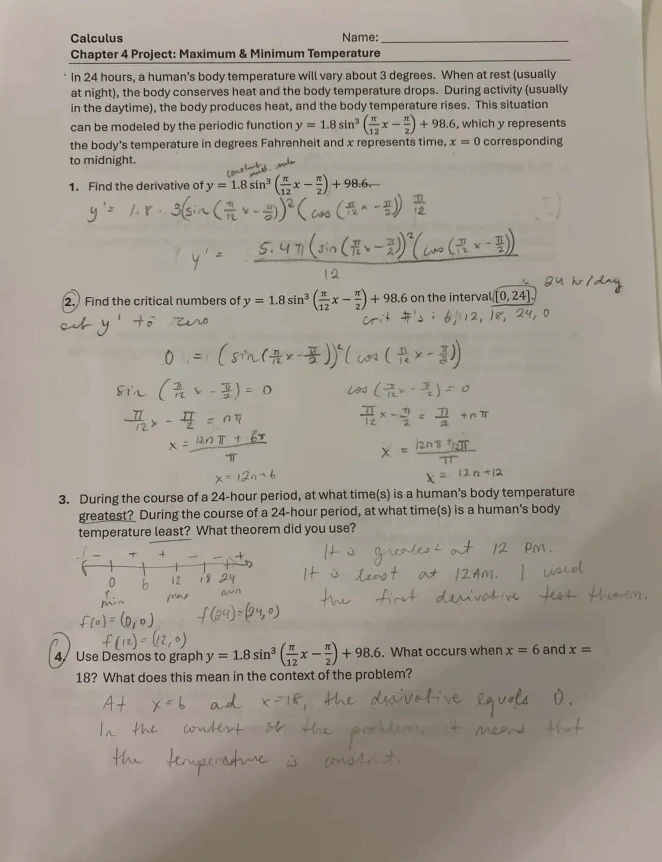
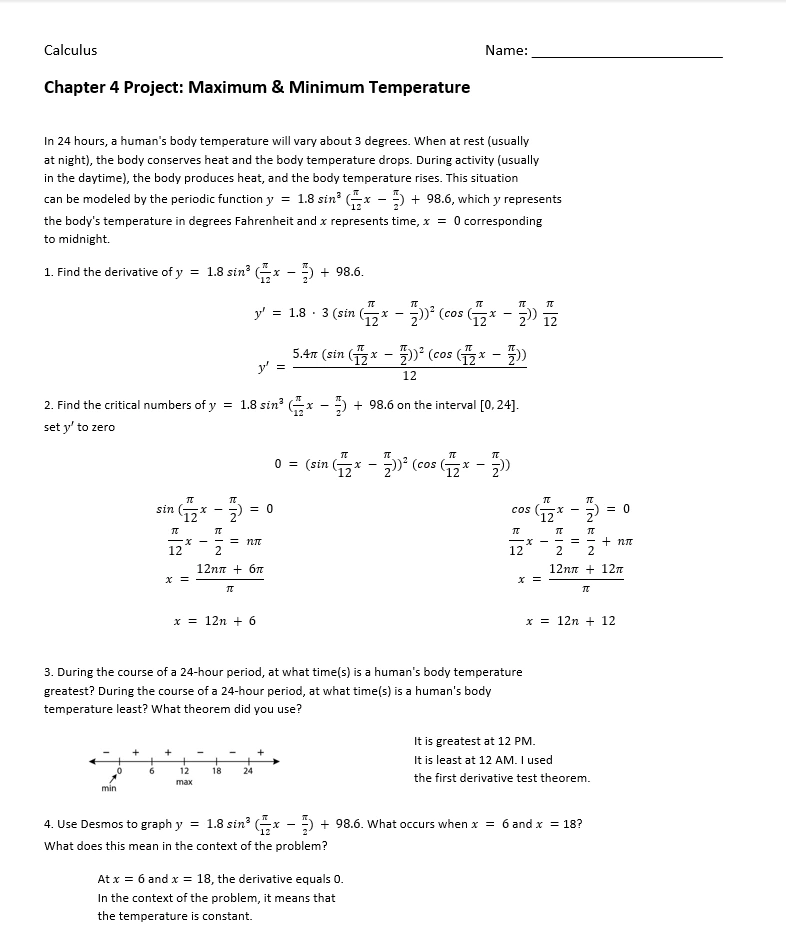
See how DocMorphix turns a scanned document into a clean, editable document while reconstructing text, equations, layout, and diagrams.
Original scanned document
Reconstructed document output
Results can vary
Output quality depends on scan quality and document complexity. This example shows the type of reconstructed output DocMorphix is designed to produce, though some documents may still need minor adjustments.
Turn a scanned PDF into an editable Word file in three steps.
Choose the scanned or image-based PDF you want to convert.
OCR identifies the content while DocMorphix analyzes paragraphs, tables, equations, images, and document structure.
Export the reconstructed document as a Microsoft Word (.docx) file and continue editing it normally.
Traditional OCR focuses on recognizing characters. DocMorphix is designed to reconstruct the document around those characters so the Word output is useful for editing, not just text extraction.
Recover text from scanned and image-based pages as editable Word content.
Reconstruct table content and structure instead of returning only disconnected text.
Recognize and recreate equations in editable document output where supported.
Retain relevant visual content from the source document.
Reconstruct paragraphs, sections, and other structural relationships.
Preserve the original document structure and formatting as accurately as possible during reconstruction.
DocMorphix handles a range of scanned document types, from contracts and forms to academic papers and technical manuals.
Turn archived or scanned agreements into editable Word documents for updating and reuse.
Convert scanned forms and questionnaires into editable Word files for modification or data entry.
Reconstruct scanned business reports with tables and charts into editable Word documents.
Convert scanned research papers with equations and citations into editable Word format.
Turn scanned technical manuals and specifications into editable Word content.
Bring old archived scans and photocopies back into an editable digital Word format.
Answers to common questions about converting scanned PDFs to editable Word documents with DocMorphix.
Yes. DocMorphix can process scanned and image-based PDFs using OCR and document reconstruction, then generate an editable Microsoft Word (.docx) document.
DocMorphix provides AI document reconstruction for difficult formatting, handwriting, equations, and diagrams.
Convert JPG, PNG, and photographed documents into formatted Microsoft Word files.
Transcribe handwritten notes, letters, and forms into clean, editable Microsoft Word text.
Reconstruct complex mathematical formulas and calculus equations into editable Word objects.
Reconstruct complex financial, medical, and scientific tables with rows and columns.
Upload your scanned PDF and turn it into an editable Word document with DocMorphix.