Neural OCR
Accurate Text Extraction
High-accuracy neural OCR recognizes printed text across low-contrast photos, skewed angles, and varied font sizes.
Turn JPG, PNG, and document photos into clean, editable Microsoft Word (.docx) documents. DocMorphix preserves original layout, headings, tables, and images without manual retyping.
Upload JPG, PNG, WEBP, or multi-page image sets. PDFs are also supported.
Works with document photos, phone snapshots, magazine scans, book pages, receipts, and screenshot captures.
Standard OCR tools typically dump raw, unformatted text strings into a notepad-style file. When you try copying that output into Microsoft Word, you lose paragraphs, font hierarchies, column flows, aligned tables, and visual illustrations.
DocMorphix goes beyond plain character recognition. Our computer vision engine analyzes the geometry of your image detecting headings, paragraph groupings, tables, and embedded graphics and reconstructs a fully structured, editable Word document.
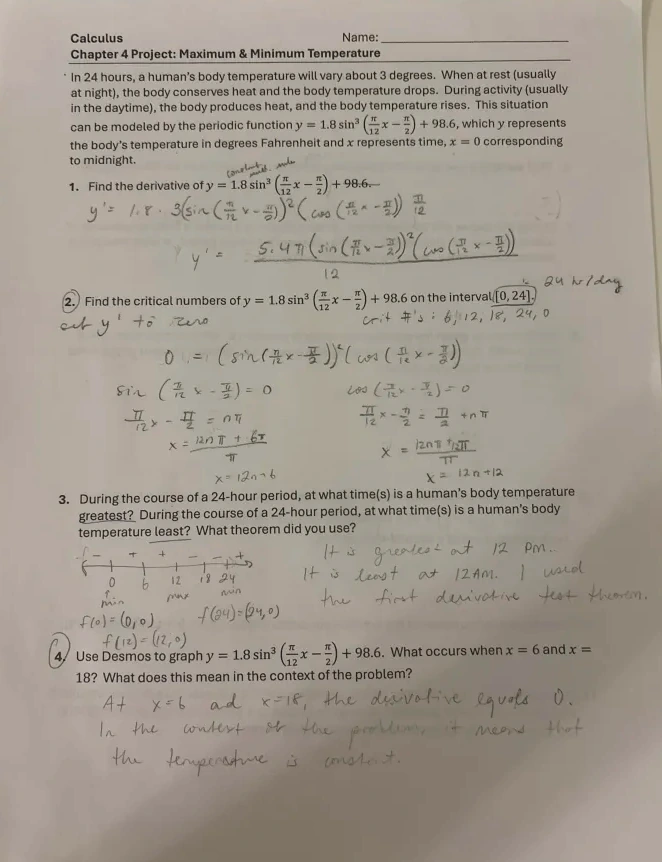
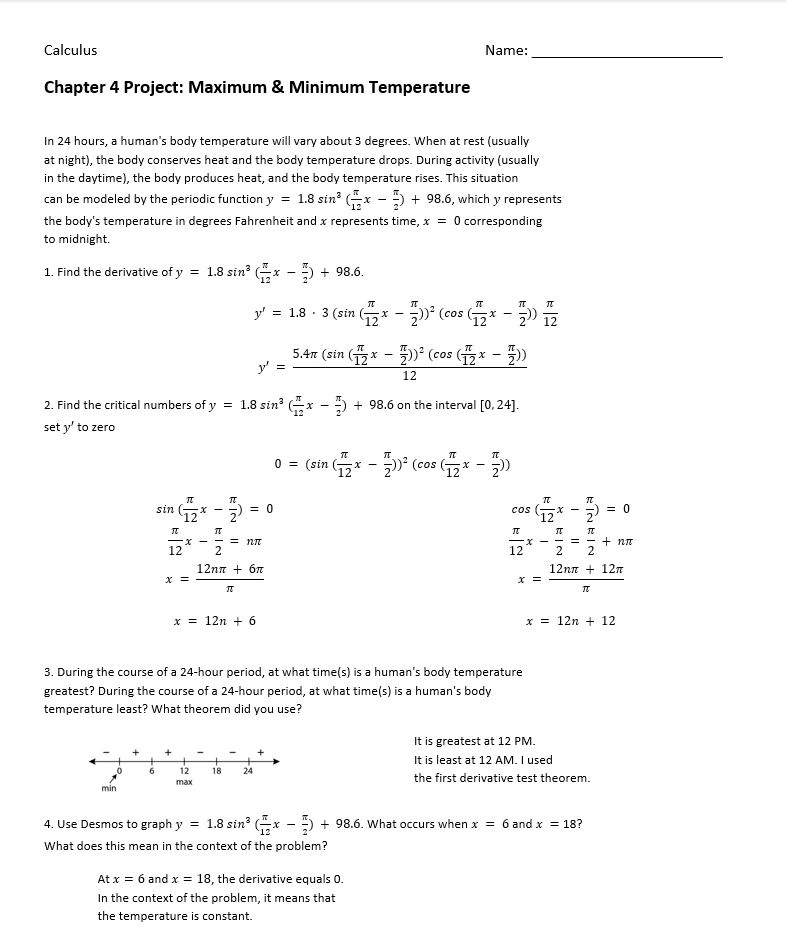
Inspect how a photographed or scanned page image transforms into a clean, formatted Word document with real paragraphs and headings.
Original JPG/PNG document photo or scan
Reconstructed editable Word (.docx) document
Results can vary
Conversion precision depends on image resolution, lighting, and camera sharpness. DocMorphix reconstructs layouts for high fidelity, though low-resolution or heavily blurred images may require manual touch-ups.
Extract text and reconstruct document layout from image files in seconds.
Select any JPG, PNG, or photo of a physical document. You can also crop or arrange multiple pages.
Advanced OCR extracts the text while our layout engine detects headings, tables, margins, and inline images.
Save your reconstructed file as a native Microsoft Word (.docx) document ready for editing, formatting, and sharing.
Most converters only read letters. DocMorphix understands how document elements fit together on the page.
High-accuracy neural OCR recognizes printed text across low-contrast photos, skewed angles, and varied font sizes.
Preserve multi-column layouts, margins, headers, footers, and paragraph spacing instead of collapsed text.
Detect gridlines and cell alignments in images, outputting native, editable Word tables rather than broken tabbed text.
Isolate photos, diagrams, and logos embedded inside the image and position them accurately within the resulting .docx.
Designed to handle perspective distortions, mild shadows, and camera angles commonly found in phone document snaps.
Outputs genuine Microsoft Word styling: bold, italics, font sizes, bullet lists, and section breaks ready to modify.
From smartphone photos to archive scans, DocMorphix speeds up document digitization.
Quickly convert phone photos of printed letters, notices, and agreements into editable files without retyping.
Digitize printed book chapters, articles, and research excerpts into editable Word files with flowing text.
Convert PNG screenshots of digital manuals, web articles, and documentation into editable text blocks.
Extract line items, supplier details, and billing totals from invoice image captures directly into Word tables.
Turn slide photos and lecture printouts into editable Word lecture notes with bullet points and diagrams.
Bring old image archives and photocopied documentation back to life as modern digital documents.
Answers to frequently asked questions about converting image files into editable Word documents with DocMorphix.
Yes. DocMorphix accepts JPG, PNG, and WEBP image files. It uses advanced optical character recognition (OCR) and layout reconstruction to convert the image into a native, fully editable Microsoft Word (.docx) document.
DocMorphix provides purpose-built tools for every specialized document conversion requirement.
Transcribe handwritten notes, letters, and forms into clean, editable Microsoft Word text.
Reconstruct complex financial, medical, and scientific tables with rows, columns, and merged cells.
Convert multi-page scanned PDF documents into fully editable Word documents with preserved layouts.
Upload your JPG, PNG, or photo now and get an editable, properly formatted Microsoft Word document in seconds.